Everything a pilot logbook should be

What Jetlog does,
section by section.

We track flights live, fill in times automatically, sync instantly, scan old logbooks with AI, and hold photos and signatures on every flight. The whole tour is below.

Live Tracking + Live Activities

From pushback to on-blocks, live.

We open a departure card 90 minutes before scheduled off-blocks and track pushback to takeoff. An arrival card follows touchdown to on-blocks, then gives you a Complete button to confirm the times.
LOCK SCREEN · DEPARTURE19:12z
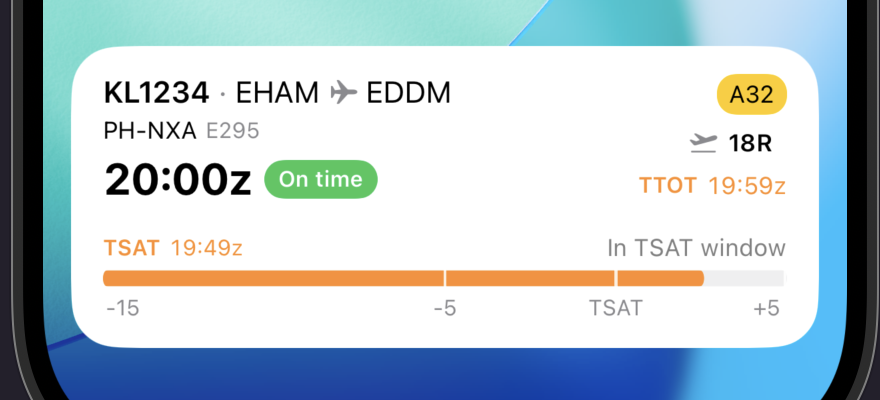
Jetlog Live Activity departure card on the iPhone lock screen showing flight KL1234 EHAM to EDDM, on time, with the TSAT ramp window.
LOCK SCREEN · ARRIVAL19:52z
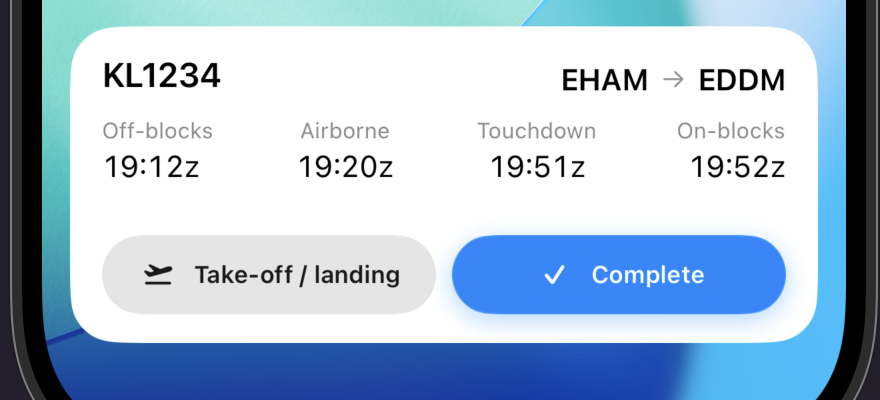
Jetlog Live Activity arrival card on the iPhone lock screen showing flight KL1234 touching down at EDDM and tracking on-blocks.
Departure
Opens 90 minutes before scheduled off-blocks, then tracks pushback, the TSAT window and takeoff live.
Arrival
Fills off-blocks, airborne, touchdown and on-blocks as they happen, in Zulu.
Complete
After landing, tap Complete on the card to finish the entry without opening the app.
Automatic Time Filling

Times fill in for every airline on the board.

For flights logged close to their scheduled time, we check a global ADS-B network and fill in off-blocks, takeoff, landing and on-blocks, plus aircraft type and registration.

Sources
ADS-B covers every tracked airline through a global flight-data network; some airlines add ACARS data straight from the aircraft.
Fields
Off-blocks, takeoff, landing and on-blocks, plus aircraft type and registration, filled in automatically.
Allotment
A generous monthly allotment covers a normal flying month. Manual entry is always there if you fly outside it.

Ferry flights, training sectors and uncommon carriers sometimes don't match, and quality varies by region. When that happens, enter the times by hand. See the coverage board →


Sync

Every edit reaches your other devices.

Log a flight on one device and we push it to your others right away.
Push sync
Changes travel over an always-open connection the moment they happen; no device asks "anything new?" on a timer.
Conflicts
Edit the crew on your phone while your iPad edits the times on the same flight. Both changes survive, resolved field by field.
Offline
Every edit queues if you have no signal after a flight, then retries automatically once you're back online.
New device
Sign in on a new phone or iPad and we stream the whole logbook straight to it.
No iCloud
Sync doesn't depend on iCloud, so it works the same whether iCloud Drive is on, off, or full.

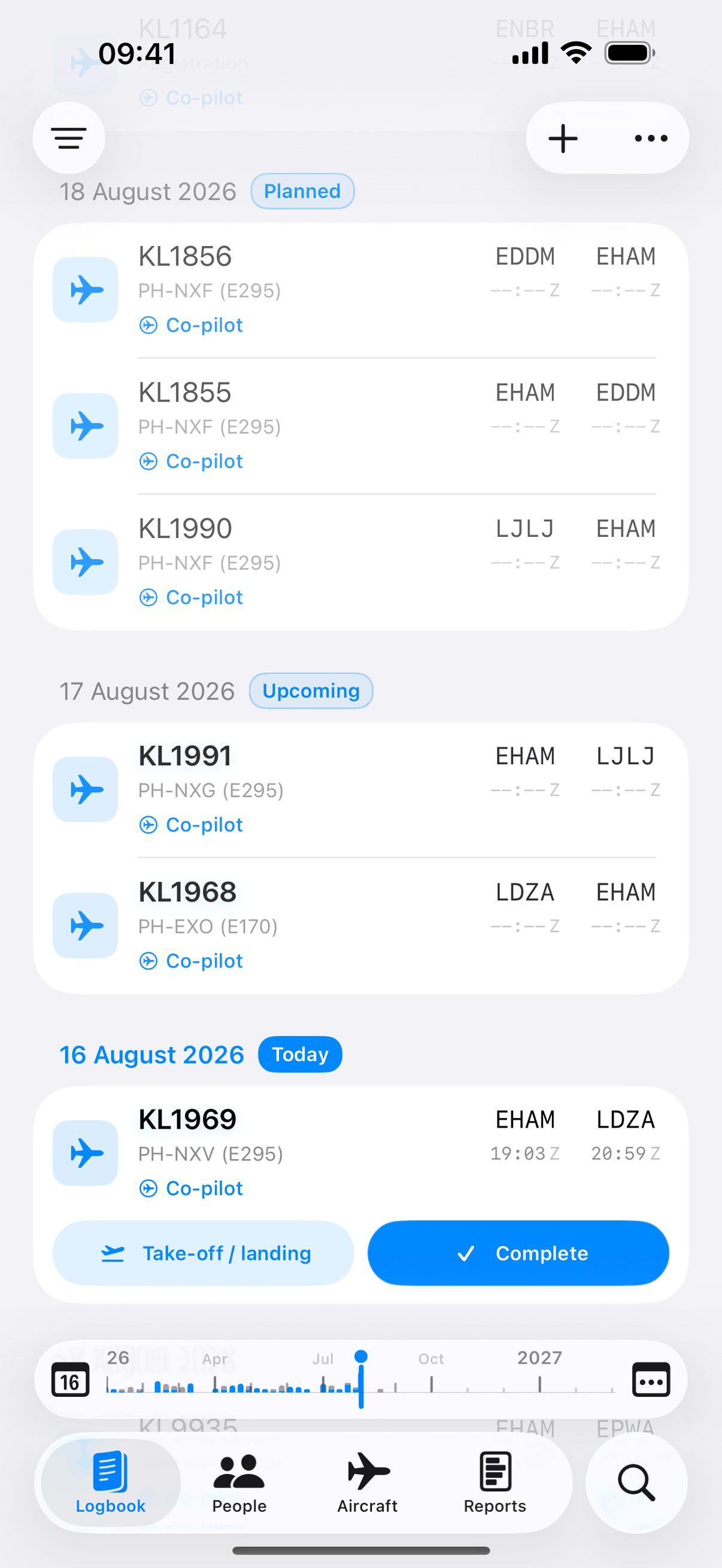
The result of an import: the Jetlog logbook filled with flights, times, registrations and crew roles in place.
AI Logbook Scanning

Scan old paper logbooks with your camera.

Photograph old paper logbook pages, or drop in a PDF, and our AI pulls the flights out for you.

Sessions
Recurrents, LPC/OPC, LOE and type-rating sessions get recognised right alongside real flights.
Review
Every extracted entry is queued for you to check, correct or discard before it touches your logbook.
Included
Your first 15 scans are included in your subscription; extra scans are €2.99 per 50.

Scan credits are the only metered part of a Jetlog subscription. See how scan credits work →
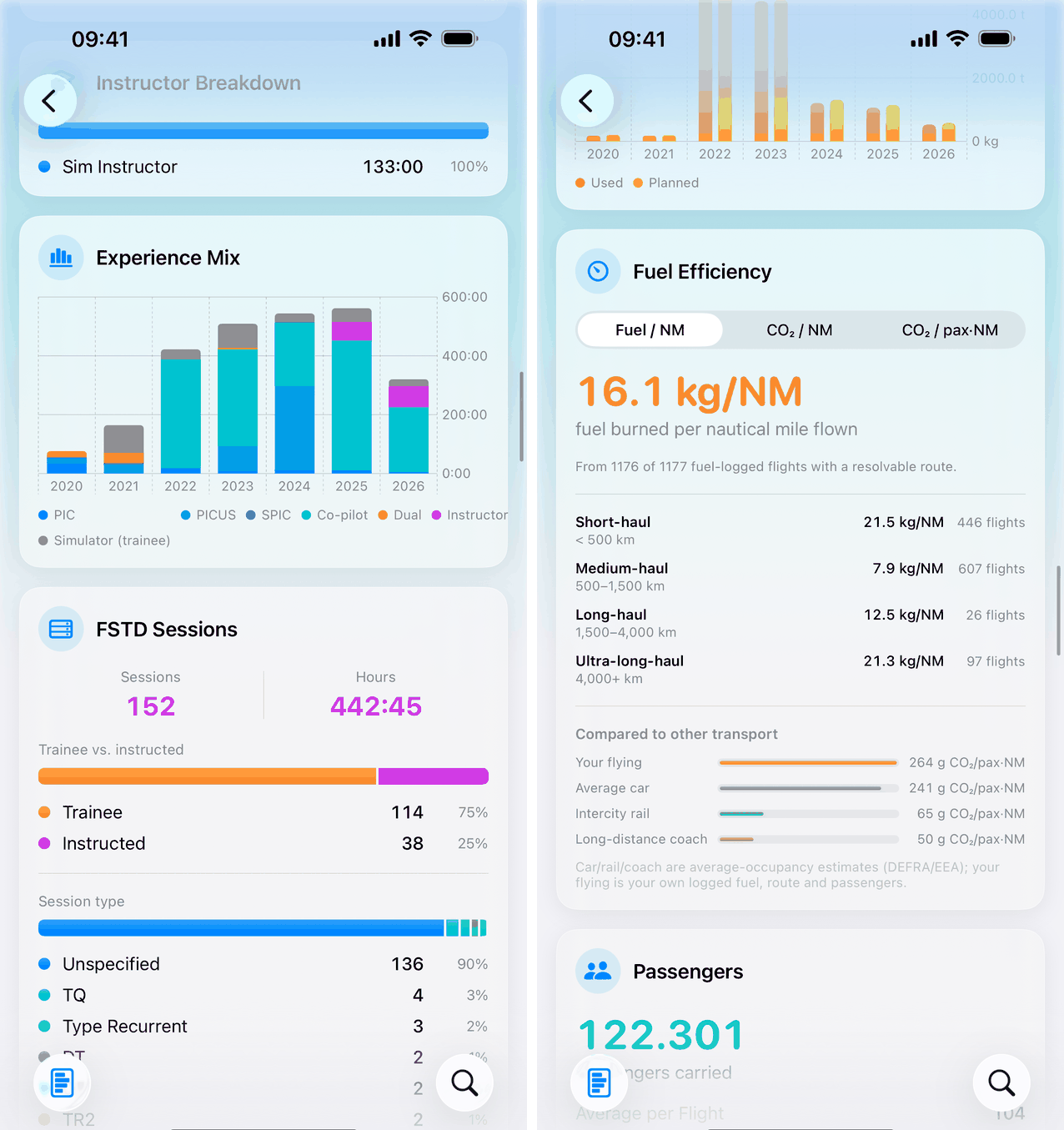

Two Jetlog report views: the experience mix with instructor and simulator-session breakdowns, and the fuel-efficiency card comparing fuel and CO2 per nautical mile with car, rail and coach, above the passengers total.
Reports & Charts

Charts that update as you fly.

Every chart recomputes the moment a flight lands in your logbook. Filter by year or aircraft type and the numbers rebuild on their own, instead of a spreadsheet you update once a year.
Experience
Your role time year by year, broken into PIC, PICUS, co-pilot, dual and instructor, with your simulator sessions included.
Efficiency
Fuel and CO₂ per nautical mile from your own logged fuel, compared with car, rail and coach.
And the rest
Route map, passengers carried, go-arounds, autoland currency and approach recency, plus currency and duty cards that never need recalculating.
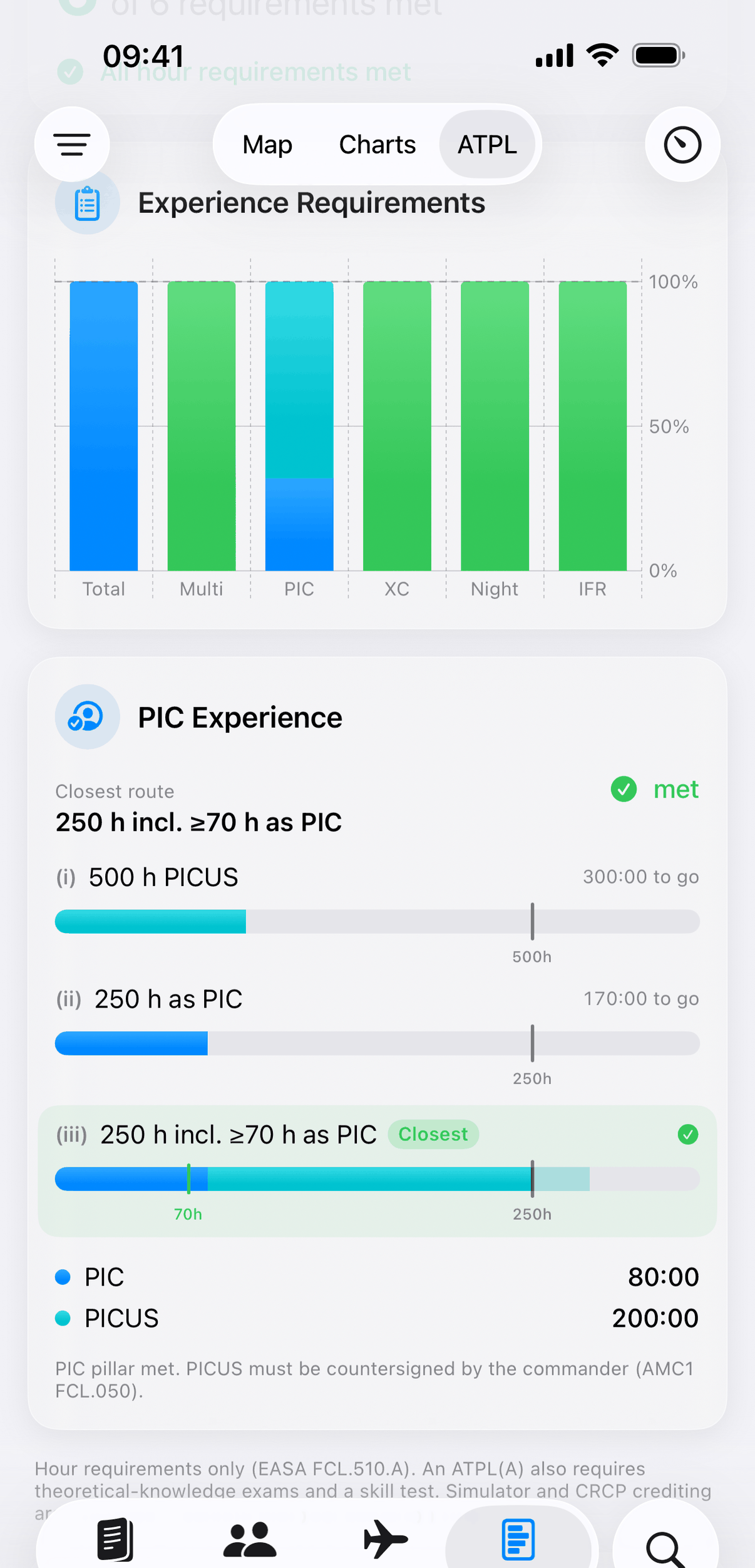
Jetlog ATPL progress screen showing an experience requirements bar chart and three PIC command-experience routes with PICUS credit.
ATPL Progress Tracker

Know exactly how close you are.

We track all three EASA command-experience routes of FCL.510.A as separate bars: 500 h PICUS, 250 h as PIC, or 250 h with at least 70 h as PIC. PICUS is credited the way Part-FCL specifies, and the 250-hour cruise-relief cap is applied so nothing reads "met" early. Only completed flights count.
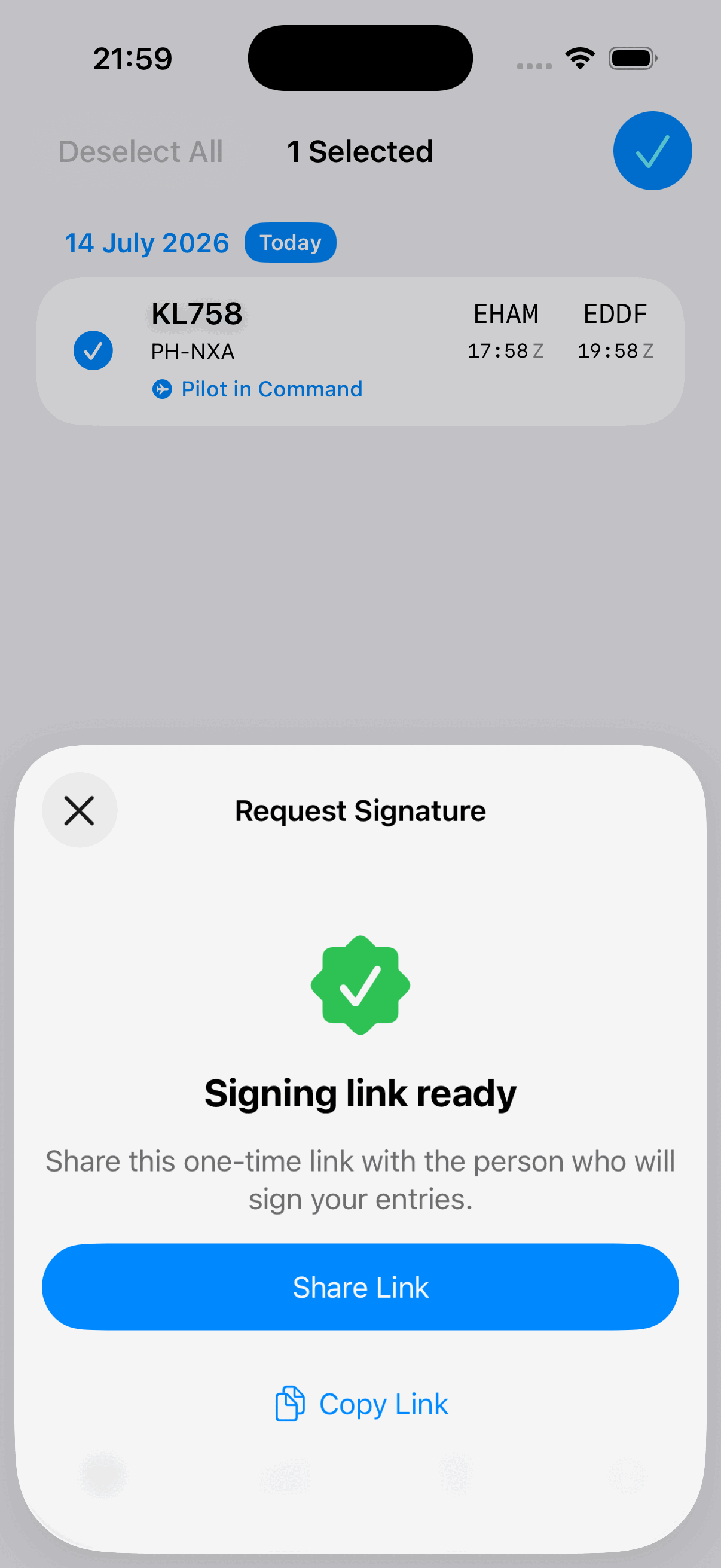

Jetlog remote sign-off screen showing a batch of logbook entries ready to be countersigned via a one-time web link.
Remote Sign-Off

Get your logbook countersigned remotely.

Send a one-time link for up to 100 entries. Your captain or examiner opens it in a browser and signs. They don't need an app or an account, and the link expires after 7 days. The signature syncs back into your logbook exactly like an in-app one.
Paper signature
Already signed on paper? Photograph it and we lift the ink straight off the page. Crop it, adjust the pickup, and you're done.

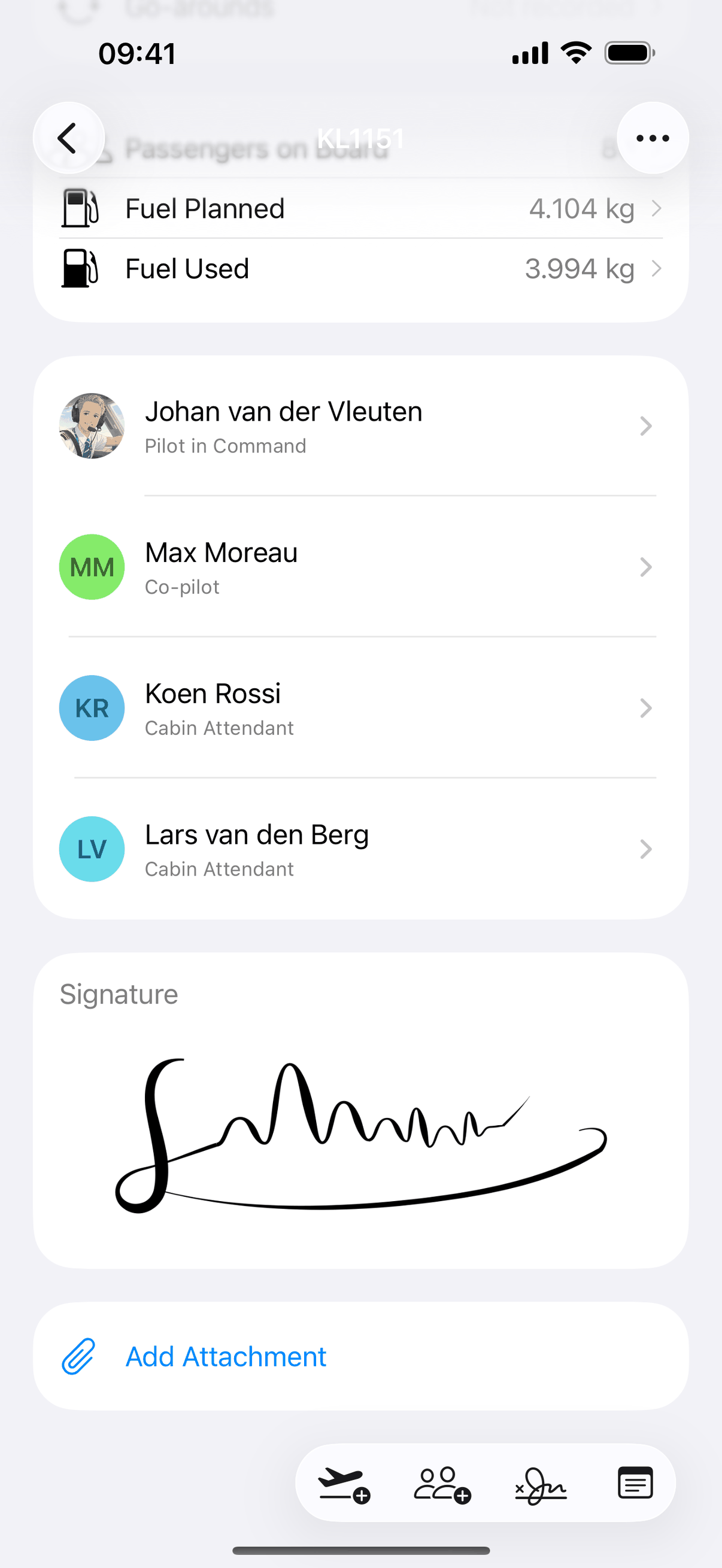
A Jetlog flight showing planned and used fuel in kilograms, the crew list with profile pictures, and a captured signature.
Flight Extras

Approaches, fuel and passengers, logged.

Approaches, go-arounds, passengers and fuel finally have a home on the flight, and the reports upstairs chart every one of them.

Autolands
Logged per approach, on ILS CAT I, II, III and GLS.
Fuel
In kilograms or pounds, planned and used, synced across your devices.
FMS scan
Point the camera at the flight summary page and the fuel figure fills itself in. On device, offline, free.
Diverted
A switch on the flight records where you actually landed. The diversion counts toward night time, distance and your airport list.

Photos & Attachments

Attach photos to any flight.

From your library, the camera or the Files app.

Photo grid
A real photo grid on the flight, opening into a swipeable, pinch-to-zoom gallery you can draw on.
Crew faces
Profile pictures for you and the people you fly with, colorful initials for everyone else.
Offline
Add a photo on the aircraft and it saves straight away, then uploads itself once you're back in signal.

Custom Places

Add any airfield you fly to.

Private strips, glider fields, heliports. If you fly there, it belongs in your logbook.
Add airports
A pin dropped straight on the map gives you coordinates, with a searchable country list.
ICAO or IATA
Pick one and the whole app follows: entries, search, filters, maps and both exports.
Merged airports
AMS and EHAM are one place now, so imported history stops splitting in two, and thousands of closed airports (Tempelhof, Kai Tak) are recognised out of the box.

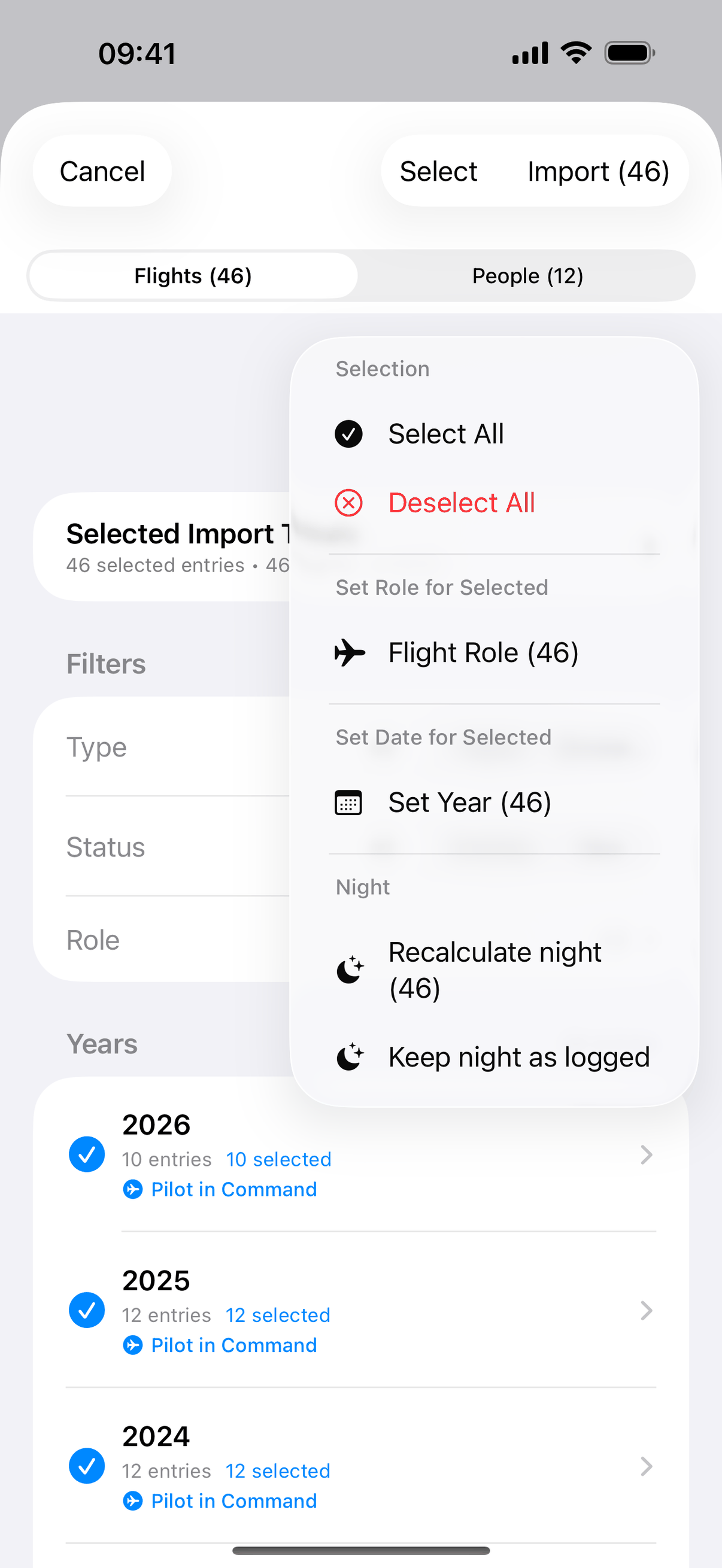
Jetlog bulk editor showing a filtered set of flights being edited together, with a running total of the selection.
46 flights selected in the Jetlog import review, with bulk actions open: set role, set year and recalculate night for the whole selection.
Bulk Editor, Search & Month Scrubber

Fix a hundred flights at once.

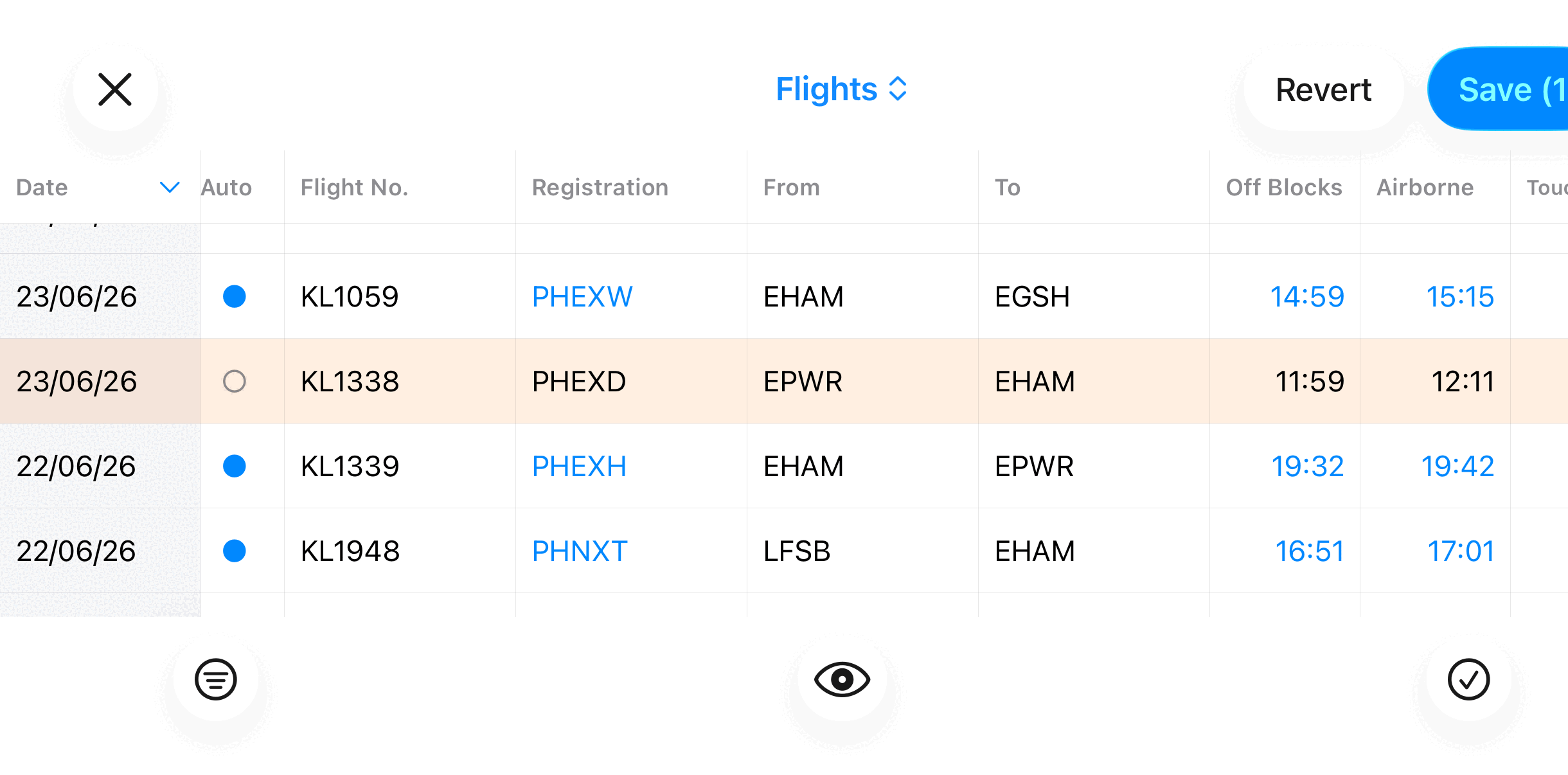
Filter to any set of flights, paste in a crew, auto-fill takeoffs and landings, then export it. Search answers from the first keystroke: flights, people, aircraft, airports, even the flights you flew with a crew member, by name. The month scrubber jumps to the week you need.

Filter
Filter chips combine, narrowing to exactly the flights you mean to change.
Bulk edit
Paste a crew or auto-fill takeoffs/landings across the whole selection.
Review
Nothing saves until you review it. One screen, every change.

Import & Export

Bring your logbook with you.

CSV, Excel, LogTen Pro, CrewLounge PilotLog, a KLM/KLC statement PDF, or just a photo for AI to read. Missing takeoffs and landings backfill automatically, planned routes and scheduled times survive a full Excel round trip, and re-importing the same file never duplicates a flight.

Import from
CSV Excel LogTen Pro (+ address book) CrewLounge PilotLog KLM / KLC statement PDF AI photo scan and more →
Export to
CSV Excel EASA-format PDF

Everything else

The rest of the logbook.

Smaller things we handle so you don't have to think about them.

Completion

Post-Flight Completion Prompts

A prompt appears after you land. Tap it and the actual times are confirmed while they're still fresh.

Backfill

Takeoff/Landing Backfill

A missing off-blocks or on-blocks time fills itself in from the nearest available data, so you don't have to re-enter it by hand.

Data quality

Data-Quality Flags

Estimated or extrapolated times are flagged as such, so a guess never quietly passes as an actual.

Edge cases

Diversion & Midnight Handling

A Diverted switch records where the flight really went, and a sector that crosses midnight resolves on its own: dates, sectors and hours all land where they should.

Simulator

Simulator (FSTD) Sessions

LPC/OPC, LOE and type-rating sessions log alongside real flights and count in the same totals.

Sign-in

Apple, Passkey & Magic-Link Sign-In

Sign in with Apple, a passkey, or an email magic link. No password to remember or leak.

Offline

Works Offline

Log at the outstation with no signal. Every edit queues and syncs itself the moment you're back online.

Deletion

GDPR-Grade Deletion

Ask, and every record is erased within 30 days: full account deletion, not a deactivated one.

Account & data →

Your next flight can log itself.

Everything free for 3 months, then €2.99/month or €29.99/year. Download Jetlog and fly. The times take care of themselves.